Earlier this week my phone showed an alert I had not seen before: the nightly backup check-in never arrived. I was pleased, in a way. That alert is the whole reason the setup exists. A backup that fails silently is worse than no backup, because you think you are covered.
This post is about how I back up one of the Rails apps I run: a small server at a second provider that pulls everything, encrypts it, and drops it into buckets that nobody can empty, me included.
The problem
The app lived entirely with two providers in one city. The database on a DigitalOcean managed Postgres cluster, the uploads in a Cloudflare R2 bucket, both in Amsterdam.
DigitalOcean's own backups are good for "I deleted the wrong row". They are useless for "the account is gone". They belong to the cluster, so they disappear with it. R2 has no object versioning, so an emptied bucket stays empty.
The scenarios I wanted to survive:
- An account that is hacked, blocked or cancelled. A leaked credential, a failed payment, an abuse report. Whatever the reason, everything behind that login is gone at once.
- A provider outage that does not come back. Rare, but a backup plan that assumes the provider survives is not a backup plan.
- Someone wiping data by mistake. That someone is most likely me, with the right credentials in the wrong terminal.
The shape of it
A small Hetzner Cloud server in Falkenstein pulls everything, into Hetzner Object Storage next door. Production sends nothing and does not know the server exists.
 DigitalOcean (Postgres) ──┐
                           ├──►  backup server   ──►  Hetzner Object Storage
 Cloudflare R2 (uploads) ──┘     pulls, encrypts      Object Lock, versioned

        Amsterdam                  Falkenstein             Falkenstein
Four decisions carry the design:
- Pull, not push. If someone takes over production, they find no backup credentials there. They cannot delete what they cannot reach.
- Read-only access. The backup server holds a Postgres role that can only read, and an R2 token that can only read, only from this server's IP.
- Encrypted before it leaves the server. An rclone
cryptremote encrypts every file on the way up. File names stay readable, so I can still find last Tuesday's dump during a restore. - Plain systemd timers. One service and one timer per script, logs in the journal. No backup framework, no scheduler to babysit.
The host itself is disposable. A cloud-init file turns a bare Ubuntu into a backup host, a small deploy script copies the scripts and timers over, and the secrets are typed in by hand from the password manager. Replacing the host is a fresh cloud-init plus one run of that script.
Access that can only read
On the DigitalOcean side, a role that can read every table and nothing else. PostgreSQL 14 and newer ship a predefined role for exactly this:
CREATE ROLE backup_reader LOGIN PASSWORD '...';
GRANT pg_read_all_data TO backup_reader;
That grant covers SELECT on every table and sequence in every schema, including the ones a future migration adds, which is all pg_dump needs. The backup server's IP goes into the cluster's trusted sources next to the app servers. Nothing else can even open a connection. One gotcha: that list takes IPv4 only, so the host needs an IPv4 address.
On the Cloudflare side, an R2 API token with the Object Read only permission, scoped to the uploads bucket, with client IP filtering set to the backup server's address. A leaked token is then a token that works from one machine, on one bucket, and only for reading.
One file of secrets, and encryption with rclone crypt
There is no rclone.conf on the host. rclone reads every remote from RCLONE_CONFIG_* environment variables, and those live in /etc/backup/env: the one file on the host that holds secrets, root-owned, mode 600, handed to the scripts by systemd. Three remotes, one of them a crypt remote called vault on top of the Hetzner one:
# /etc/backup/env (placeholders between angle brackets)
PGHOST=<cluster>.db.ondigitalocean.com
PGPORT=25060
PGSSLMODE=require
PGUSER=backup_reader
PGPASSWORD=<password>
PGDATABASE=myapp_production

RCLONE_CONFIG_HETZNER_TYPE=s3
RCLONE_CONFIG_HETZNER_PROVIDER=Hetzner
RCLONE_CONFIG_HETZNER_ENDPOINT=https://fsn1.your-objectstorage.com
RCLONE_CONFIG_HETZNER_REGION=fsn1
RCLONE_CONFIG_HETZNER_ACCESS_KEY_ID=<access-key-id>
RCLONE_CONFIG_HETZNER_SECRET_ACCESS_KEY=<secret-access-key>

RCLONE_CONFIG_VAULT_TYPE=crypt
RCLONE_CONFIG_VAULT_REMOTE=hetzner:
RCLONE_CONFIG_VAULT_FILENAME_ENCRYPTION=off
RCLONE_CONFIG_VAULT_DIRECTORY_NAME_ENCRYPTION=false
RCLONE_CONFIG_VAULT_PASSWORD=<rclone obscure output>
RCLONE_CONFIG_VAULT_PASSWORD2=<rclone obscure output>

RCLONE_CONFIG_R2_TYPE=s3
RCLONE_CONFIG_R2_PROVIDER=Cloudflare
RCLONE_CONFIG_R2_ENDPOINT=https://<account-id>.r2.cloudflarestorage.com
RCLONE_CONFIG_R2_ACCESS_KEY_ID=<access-key-id>
RCLONE_CONFIG_R2_SECRET_ACCESS_KEY=<secret-access-key>

APPSIGNAL_PUSH_API_KEY=<push-api-key>
Everything the scripts write goes through vault:. rclone encrypts the contents before upload, so Hetzner only ever sees ciphertext. With FILENAME_ENCRYPTION=off the names stay readable, and a listing of the bucket still means something when I am restoring under pressure. Dates, bucket names and blob keys give nothing away; the contents are what matter.
The crypt password and its salt (rclone calls the salt password2, and both are rclone obscure output) are what turn the vault back into data. They live in this file and in my password manager, and nowhere near production. Two small guards around them, because rclone is quiet about mistakes here:
# bin/common.sh (excerpt)
# Every remote comes from the environment; keep rclone from looking for a file.
export RCLONE_CONFIG=/notfound

[ -n "${RCLONE_CONFIG_VAULT_PASSWORD:-}" ] && [ -n "${RCLONE_CONFIG_VAULT_PASSWORD2:-}" ] ||
  die "crypt password or salt missing; rclone would encrypt with its built-in salt"
A misspelt variable is silently ignored, and rclone would happily fall back to its built-in salt. The check makes that a failed run instead of a vault that looks fine and decrypts differently.
The dump
Twice a day the server runs pg_dump and ships the result. The heart of the script:
# bin/db-backup.sh (excerpt), under set -euo pipefail
dump_name="myapp-production-$(date +%Y-%m-%dT%H%M).dump"
dump_path="$stage_dir/$dump_name"

# Let the server drop a dead connection after ~2 minutes instead of the
# 2-hour kernel default, so a crashed dump never leaves locks behind.
export PGOPTIONS="-c tcp_keepalives_idle=60 -c tcp_keepalives_interval=10 \
  -c tcp_keepalives_count=6 -c tcp_user_timeout=120000"

pg_dump --format=custom --compress=zstd --no-comments \
  --lock-wait-timeout=30s --file="$dump_path"

rclone copyto "$dump_path" "vault:myapp-db-daily/$dump_name" --s3-no-check-bucket
rclone cryptcheck --one-way "$stage_dir" "vault:myapp-db-daily" --checkers 2
The connection details come from the environment file above. The port is the cluster's direct port, not the connection pool: pg_dump needs one session for the whole run, and the pool would not pass the options below on anyway.
A few things worth knowing:
--lock-wait-timeoutmatters more than it looks.pg_dumptakes a shared lock on every table. If a migration already holds one, the dump gives up after 30 seconds instead of queueing behind it and blocking every query that comes after.- The keepalive settings are server-side.
PGOPTIONSsends them with the connection, so it is the server that notices a vanished client: 60 seconds idle, then 6 probes 10 seconds apart, 120 seconds in total, the same number astcp_user_timeout. Without this, a dump that dies mid-transfer can keep its locks for two hours. --no-commentsis for the restore. A managed Postgres puts aCOMMENT ON SCHEMA publicin the dump that a normal user cannot apply on the way back in. Leaving comments out keeps the restore clean.--compress=zstdneeds pg_dump 16 or newer. The client has to be at least the server's major version anyway, so the host runs the currentpostgresql-clientrather than whatever happens to be installed.cryptcheckverifies without downloading. It reads the nonce from the uploaded object, encrypts the local file the same way and compares checksums. If the upload was corrupted, the run fails here.
The other half of the lock story lives in the app. A deploy migrates as the new container boots, and a migration that alters a table would wait for the dump's lock while every query on that table queues behind it. So the Kamal pre-deploy hook first looks in pg_stat_activity for a session of backup_reader, and waits while there is one. Migrations themselves run with lock_timeout=10s, so a dump that starts after that check fails the deploy cleanly instead of stalling the app.
Buckets nobody can empty
This is the part I like most. Both buckets were created with Object Lock and a default retention in compliance mode. Every uploaded object inherits the lock, and rclone never has to know the lock exists. Until it expires, nobody can delete that version: not an attacker with every key, not me.
Bucket | Holds | Locked for |
|---|---|---|
| two dumps a day, plus a tarball of the repo | 35 days |
| the mirror of the uploads | 35 days |
Object Lock has to be switched on when the bucket is created; it cannot be added later. With the AWS CLI pointed at Hetzner:
export AWS_ENDPOINT_URL=https://fsn1.your-objectstorage.com

aws s3api create-bucket --bucket myapp-db-daily --object-lock-enabled-for-bucket

aws s3api put-object-lock-configuration --bucket myapp-db-daily \
  --object-lock-configuration \
  '{"ObjectLockEnabled":"Enabled","Rule":{"DefaultRetention":{"Mode":"COMPLIANCE","Days":35}}}'
Bucket names are unique across all of Hetzner Object Storage, not just your project, so expect to prefix them.
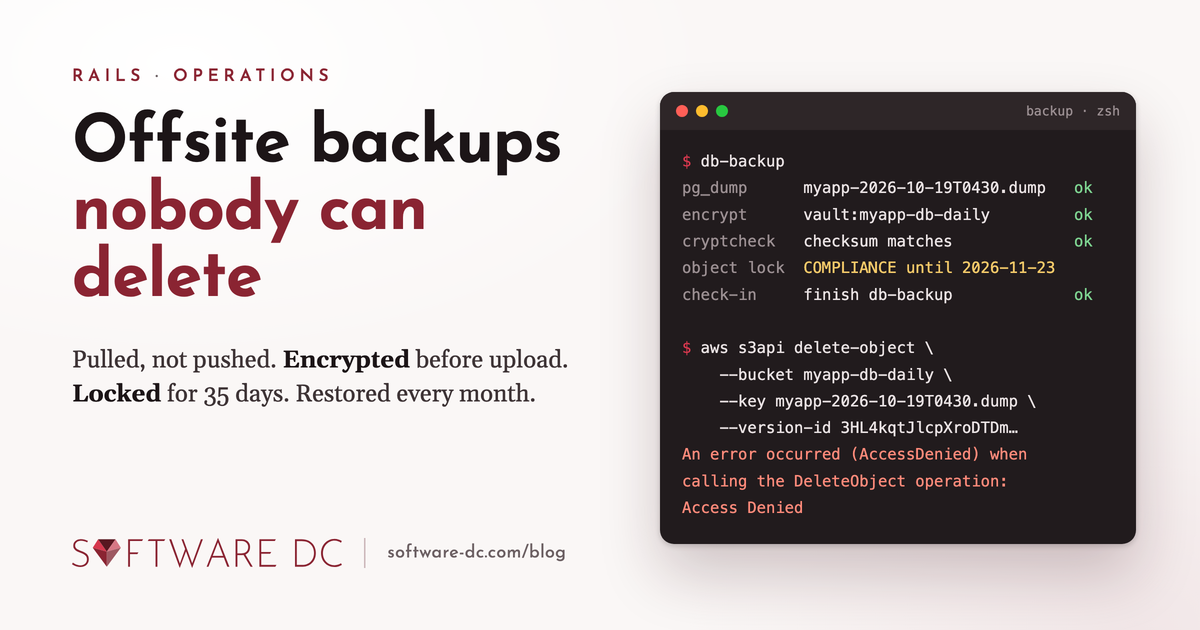
What a delete does to a locked object is the detail that took me longest to get right. A locked bucket is always a versioned bucket. A plain delete, the kind rclone or the console sends, does not fail. It puts a delete marker on top of the object. The object disappears from listings, but the locked version underneath stays exactly where it is until its retention ends. The only way to really remove it is to delete that version by its ID, and that is the request the lock refuses:
$ aws s3api delete-object --bucket myapp-db-daily \
    --key myapp-production-2026-10-19T0430.dump --version-id <version-id>

An error occurred (AccessDenied) when calling the DeleteObject operation: Access Denied
Two things follow from that.
An attacker can hide the backups, but not destroy them. Someone with the Hetzner keys can cover every object with a delete marker and the bucket will look empty. Deleting the markers brings everything back. During a restore, rclone ls --s3-versions shows what is really there.
Cleanup is two layers. The dump script prunes what rclone can see, with a day of margin past the lock, and treats a refused delete as expected rather than as a failure:
prune() {
  local bucket="$1" min_age="$2"
  rclone delete "vault:$bucket" --min-age "$min_age" --s3-no-check-bucket ||
    log "pruning $bucket left locked objects in place"
}

prune myapp-db-daily 36d
What that delete leaves behind, the hidden version under a delete marker, is for a lifecycle rule on the bucket. It removes noncurrent versions 40 days after they were replaced or deleted, which only succeeds once the lock has run out, and sweeps up delete markers that have nothing left under them:
{
  "Rules": [
    {
      "ID": "expire-old-versions",
      "Status": "Enabled",
      "Filter": {},
      "NoncurrentVersionExpiration": { "NoncurrentDays": 40 },
      "AbortIncompleteMultipartUpload": { "DaysAfterInitiation": 2 }
    },
    {
      "ID": "drop-delete-markers",
      "Status": "Enabled",
      "Filter": {},
      "Expiration": { "ExpiredObjectDeleteMarker": true }
    }
  ]
}
aws s3api put-bucket-lifecycle-configuration --bucket myapp-db-daily \
  --lifecycle-configuration file://lifecycle.json
The files bucket gets the same rules. There the mirror decides what is current, and a blob that was deleted in R2 stays recoverable for 40 days after the mirror deleted it too.
One honest limit: the lock runs from upload, not from deletion. For the dumps that is the whole story, every dump is a new object, so the last 35 days of dumps are always locked. A mirrored blob is locked only for its first 35 days; after that, someone holding the Hetzner keys could delete its versions for real. I accepted that. Those keys exist on one machine that production knows nothing about, the mirror exists to survive a loss in R2, and delete markers plus the 40-day window still cover that.
Mirroring the files
An hour after each dump, rclone sync mirrors the R2 bucket into the vault:
rclone sync "r2:myapp-production-uploads" "vault:myapp-files" \
  --immutable --size-only --max-delete 2000 --fast-list --s3-no-check-bucket
--immutable: Active Storage writes every blob under a fresh key and never rewrites one. A file that changed upstream means something is wrong, so rclone refuses to copy it over the good version and the run fails.--size-only: with immutable keys a size check is all the comparison there is to make, and reading modification times costs a HEAD request per object on both sides.--max-delete 2000: a mass deletion in R2 is one of the disasters I am backing up for. Replicating it would defeat the point. If more than 2000 files vanished since the last run, rclone still copies the new ones but refuses to delete anything, and the run fails loudly.- The hour gap: a restored dump should never point at files the mirror does not have yet. Files newer than the dump do no harm.
The first run moves everything. After that, a run moves only what was uploaded since the previous one. R2 charges nothing for egress, so the mirror costs nothing on the Cloudflare side.
The same run also keeps a git clone --mirror of the repository up to date, with a read-only deploy key that exists only on this host, and uploads a tarball of it next to the dumps. A lost GitHub account should not take the code with it.
Alarm on silence
Every script sends two AppSignal cron check-ins: one at the start, one at the end. The helper is a curl call against the check-ins API:
# bin/common.sh (excerpt)
check_in() {
  local kind="$1" identifier="$2"
  [ -n "${APPSIGNAL_PUSH_API_KEY:-}" ] || return 0
  curl -fsS --max-time 10 -X POST \
    "https://appsignal-endpoint.net/check_ins/cron?api_key=${APPSIGNAL_PUSH_API_KEY}&identifier=${identifier}&kind=${kind}" \
    >/dev/null || log "check-in '${kind}' for '${identifier}' failed"
}
Every script is then shaped the same way:
claim_lock          # flock: a slow run must never overlap the next one
load_environment
check_in start offsite-db-backup
# ... the actual work, under set -euo pipefail ...
check_in finish offsite-db-backup
A run that fails never reaches finish. In AppSignal the offsite-db-backup monitor expects a finish twice a day, and alerts when it does not arrive. A check-in that fails to send is only logged: a missing check-in raises an alarm, and a hiccup at AppSignal must not fail a backup that is otherwise fine.
That is the only error channel the scripts need. No mail, no Slack webhook, no log scraping. When the alert comes, journalctl -u myapp-db-backup has the details.
The scheduling is plain systemd timers. One service and one timer per script:
# /etc/systemd/system/myapp-db-backup.service
[Unit]
Description=Offsite database backup to Hetzner
After=network-online.target
Wants=network-online.target

[Service]
Type=oneshot
EnvironmentFile=/etc/backup/env
ExecStart=/opt/backup/bin/db-backup.sh
Nice=10
IOSchedulingClass=idle
TimeoutStartSec=15min
# /etc/systemd/system/myapp-db-backup.timer
[Unit]
Description=Offsite database backup, twice a day

[Timer]
# A nightly batch job runs from 02:00 until about 03:30 and a dump
# inside it can stall on a busy database, so the night run waits it out.
OnCalendar=*-*-* 04:30:00 Europe/Amsterdam
OnCalendar=*-*-* 17:30:00 Europe/Amsterdam
Persistent=true

[Install]
WantedBy=timers.target
Persistent=true runs a missed job at boot if the host was down at half past four. TimeoutStartSec is the backstop for a dump that hangs: systemd kills it, the finish never comes, the alarm goes off. The mirror has the same pair an hour later, and the restore test runs on the fifth of the month:
$ systemctl list-timers --no-pager 'myapp-*'
NEXT                          LEFT     LAST                          PASSED  UNIT                       ACTIVATES
Mon 2026-10-19 17:30:00 CEST  7h left  Mon 2026-10-19 04:30:00 CEST  5h ago  myapp-db-backup.timer      myapp-db-backup.service
Mon 2026-10-19 18:30:00 CEST  8h left  Mon 2026-10-19 05:30:00 CEST  4h ago  myapp-files-mirror.timer   myapp-files-mirror.service
Thu 2026-11-05 06:00:00 CET   2 weeks  Mon 2026-10-05 06:00:00 CEST  2 weeks myapp-restore-test.timer   myapp-restore-test.service
A backup nobody restored is a guess
On the fifth of every month the server restores the newest dump into a throwaway Postgres container and checks the result:
# bin/restore-test.sh (excerpt)
newest_dump="$(rclone lsf "vault:myapp-db-daily" --include '*.dump' | sort | tail -1)"
rclone copyto "vault:myapp-db-daily/$newest_dump" "$stage_dir/restore.dump"

docker run --rm --detach --name restore-test \
  --env POSTGRES_PASSWORD="$(openssl rand -hex 16)" postgres:18-alpine >/dev/null
for _ in $(seq 60); do docker exec restore-test pg_isready --quiet && break; sleep 1; done

docker cp "$stage_dir/restore.dump" restore-test:/tmp/restore.dump
docker exec --user postgres restore-test \
  pg_restore --jobs 2 --no-owner --no-privileges --dbname postgres /tmp/restore.dump

query() { docker exec --user postgres restore-test psql -qAt --command "$1"; }

# The dump is complete and recent
[ "$(query "SELECT count(*) FROM information_schema.tables WHERE table_schema = 'public'")" -gt 50 ]
[ "$(query "SELECT count(*) FROM orders")" -gt 0 ]
[ "$(query "SELECT max(created_at) > now() - interval '2 days' FROM orders")" = "t" ]

# A random sample of blobs really is in the mirror, byte for byte
query "SELECT key || ' ' || byte_size FROM active_storage_blobs
       WHERE service_name = 'r2' ORDER BY random() LIMIT 50" > "$stage_dir/sample.txt"
cut -d' ' -f1 "$stage_dir/sample.txt" > "$stage_dir/keys.txt"
rclone copy "vault:myapp-files" "$stage_dir/blobs" --files-from "$stage_dir/keys.txt" --no-traverse
# ... then compare each file's size on disk with byte_size from the database
That proves four things in one run: the dump is complete, the encryption can be reversed, the newest records are in it, and the files those records point at really are in the mirror, with the sizes the database expects. pg_restore exits non-zero on any error, and under set -e that ends the run: a dump that restores with errors is a dump I want to hear about. The table count is set below the real number on purpose; it catches an empty database, not a dropped table.
The restore test is also the only thing that regularly exercises the crypt password. A backup you cannot decrypt is a very safe way of losing data.
What I would do differently
Not much, so far. The design is dull on purpose, and dull is what you want from a backup. Looking back:
- Production cannot reach the backups. Nothing on the app servers knows the backup server or the vault exists.
- The backups cannot be destroyed, only hidden. Object Lock makes a delete reversible for as long as the lock holds. That is a much calmer place to be than "we have backups, I think".
- Silence is the alarm. Scripts do not report errors, they fail to report success. That catches the failure modes I did not think of, including the server itself being gone.
- Restores are rehearsed. The monthly test is the only reason I trust the rest.
Two dumps a day means I can lose up to thirteen hours of database changes. For this app that is acceptable, and DigitalOcean's point-in-time recovery covers the shorter window for as long as DigitalOcean is there. If your app cannot afford that, the next step is streaming WAL to the vault, which is a different post.
I have left out the full scripts, the cloud-init file and the restore runbook that goes with them. If you want to build the same thing for your own setup, or you would like to see the code, get in touch. I am happy to walk through it.